
Zaino Health · Zaino Clinic
Zaino Clinic: one clinic app, customised for your speciality
General practice, paediatrics, gynaecology, orthopaedics, dermatology, dentistry or any other speciality: we start from a proven clinic app and customise it to your requirements. Patients book on WhatsApp, reception runs the queue, and you prescribe in seconds.
Watch
See a clinic visit in under two minutes
How a visit works
From a WhatsApp message to the next patient
Ten simple steps. The patient uses only WhatsApp; the clinic uses the app.
- Patient
- Doctor
- Assistant
Then the same steps repeat for every patient in the queue.
The problem
What gets in the way today
- 01
A full waiting room
Patients arrive early and wait for hours because they cannot see the queue.
- 02
Phones ringing all day
Reception answers calls for token numbers instead of helping the people in front of them.
- 03
The same details written again
Name, age, complaints and history are re-entered on paper at every visit.
- 04
Prescriptions take too long
Typing or writing each medicine slows the doctor when the queue is longest.
What it does
Key features
-
Booking on WhatsApp
Patients message the clinic and book with just a mobile number and a name. The booking page works in English, Hindi, Urdu and Hinglish, with Listen and Speak buttons for those who do not read easily.
-
Live queue and tokens
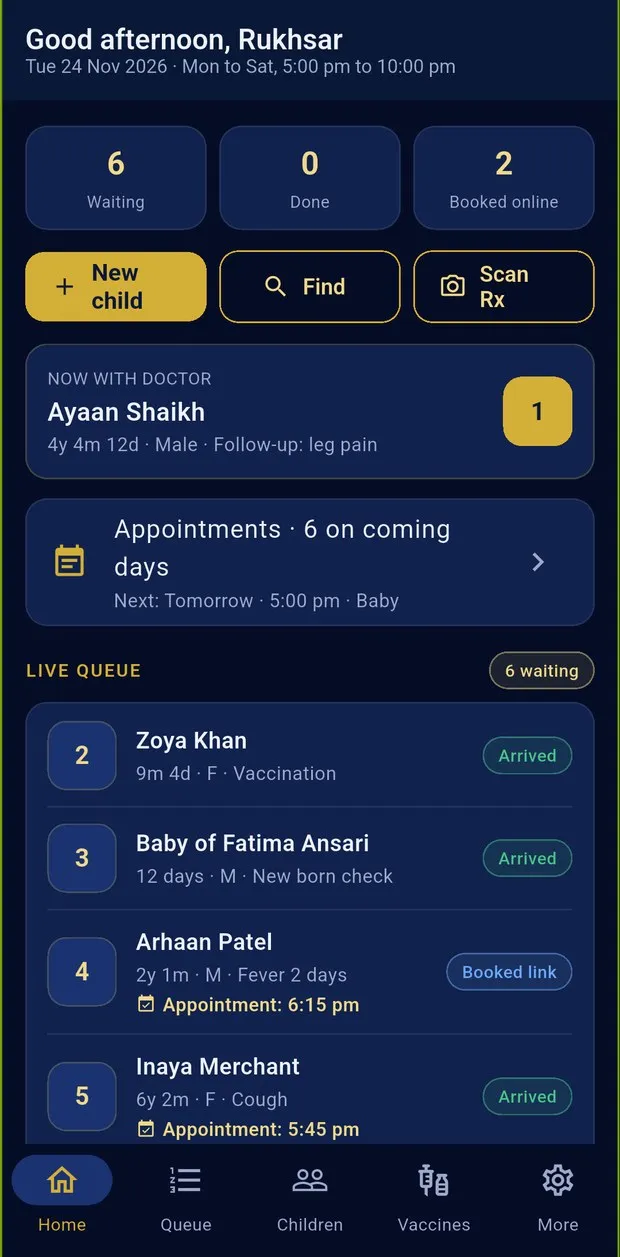
Walk-ins and bookings sit in one queue. Patients see how many people are ahead; the doctor can call anyone first.
-
WhatsApp updates
Patients get a message when they are booked, when their turn is near, and when it is time to go in.
-
Patient history
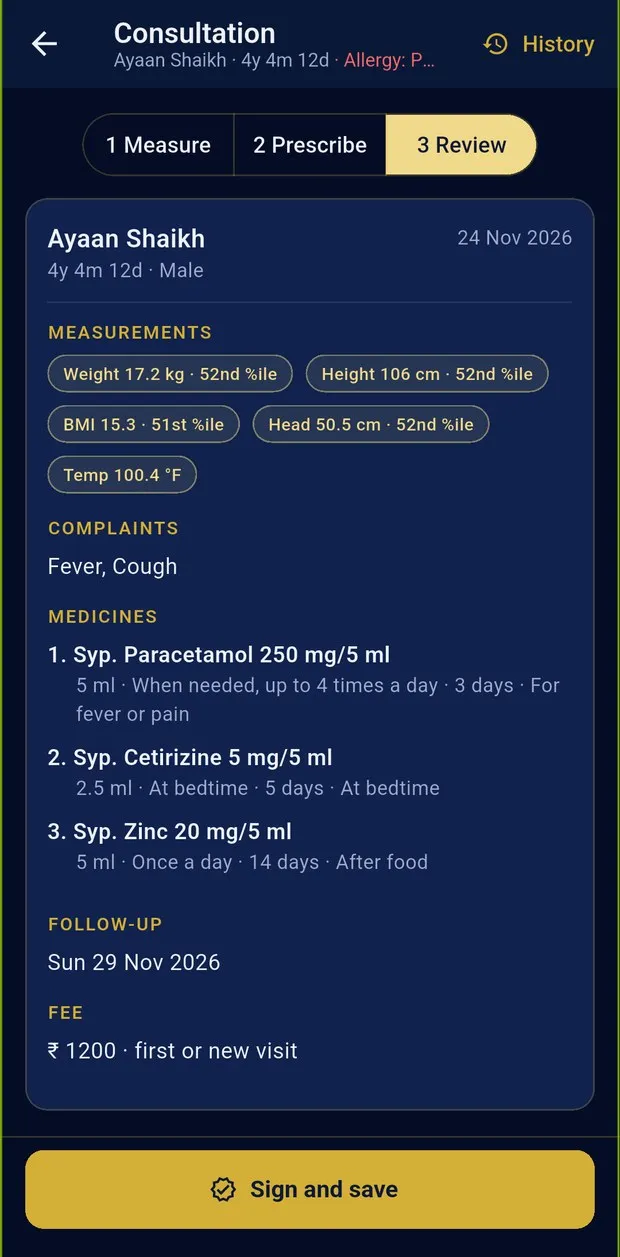
Past visits, medicines, lab tests, allergies and long-term conditions on one screen before the consultation starts.
-
Prescribe your way
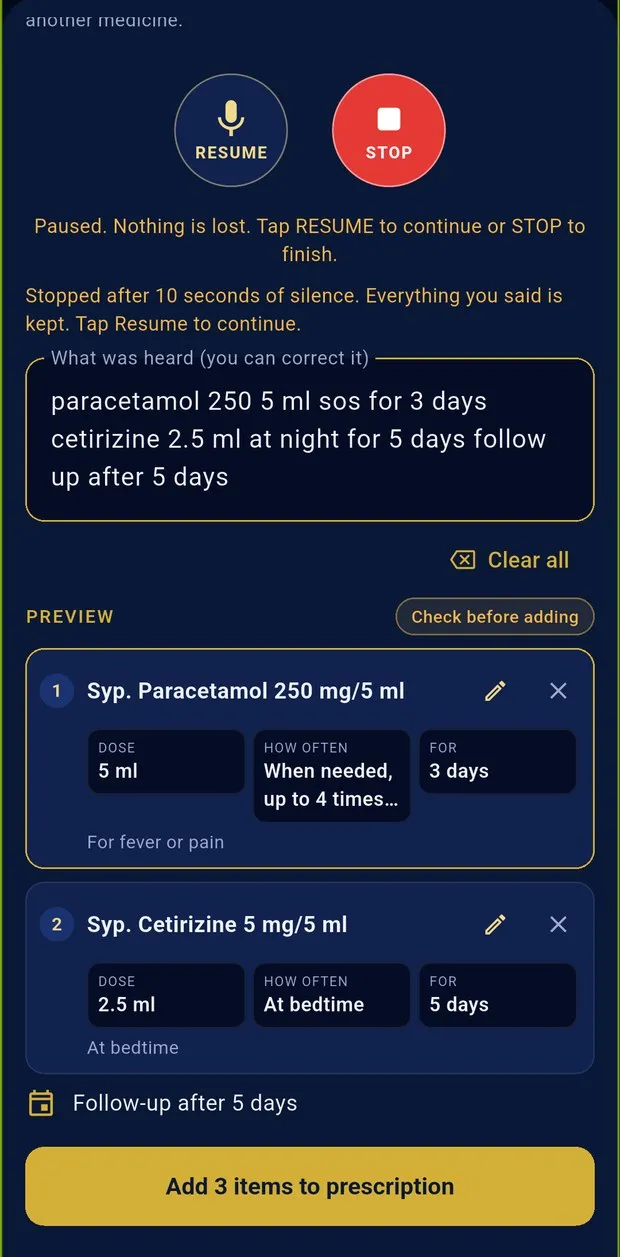
Speak, type, pick a template, scan a paper prescription or upload a file. It can be done hands-free by voice, and every line is shown for checking before you sign.
-
Your own letterhead
The prescription is shared on WhatsApp or printed as a PDF in your clinic’s format, with lab tests, advice and follow-up date.
-
Speciality modules
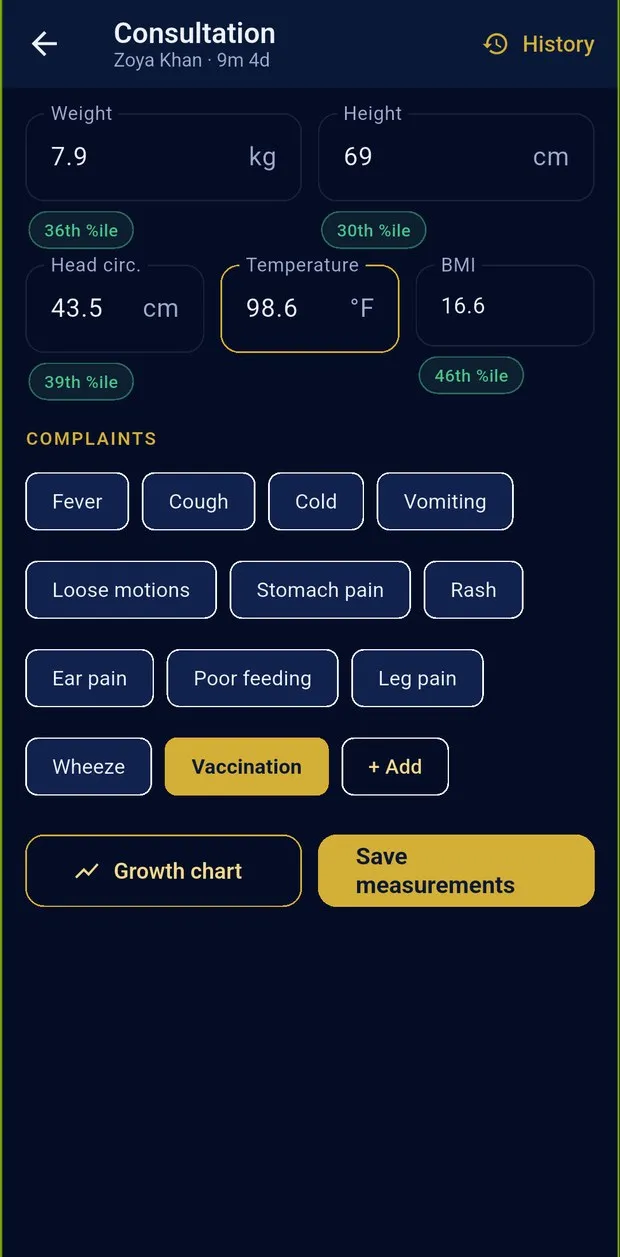
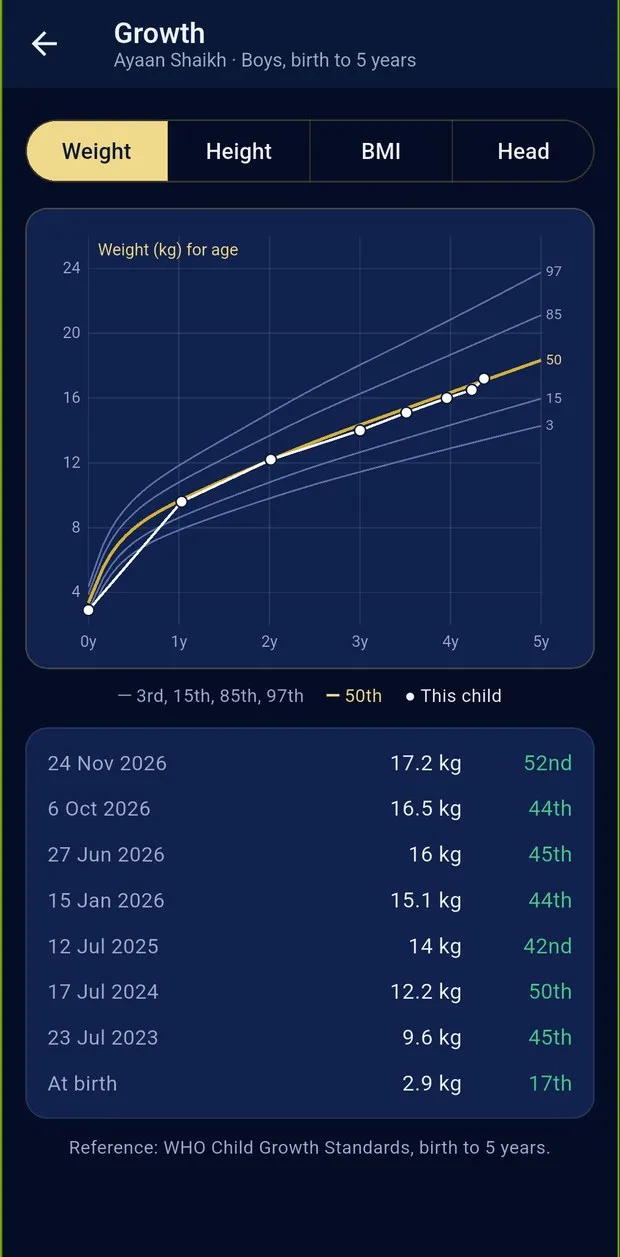
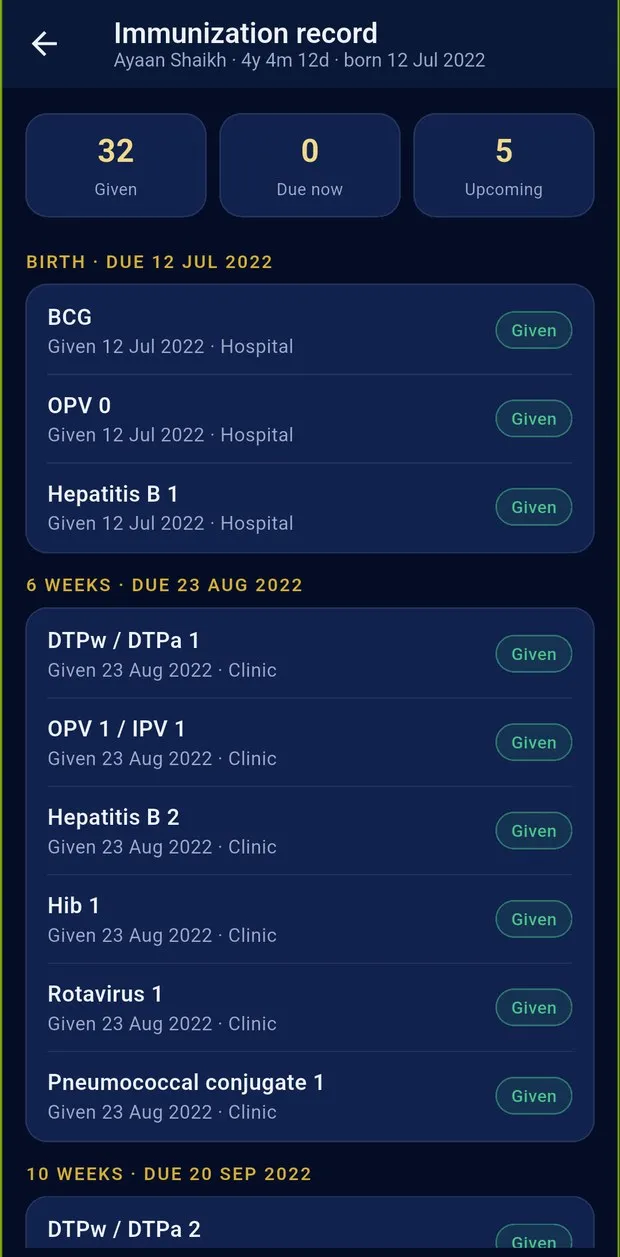
We add what your speciality needs: vitals and measurements, growth charts and vaccine records for paediatrics, antenatal records, procedure notes, dental charts and more.
-
Fees and payments
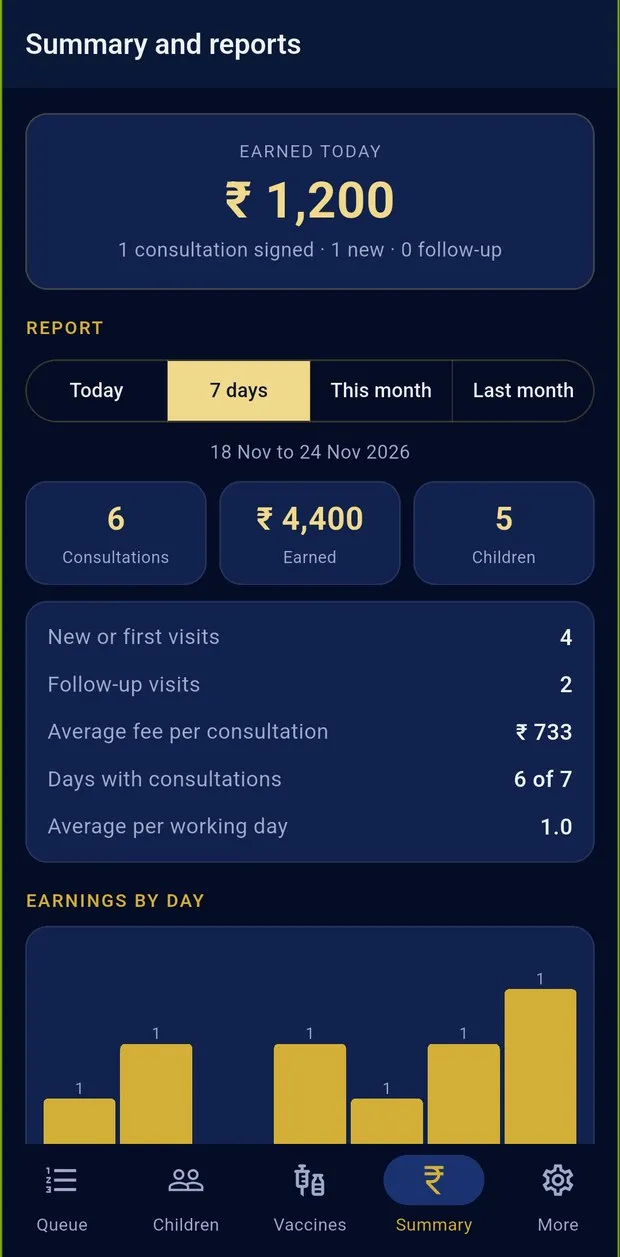
The assistant records each fee as Cash or UPI in one tap. The doctor sees the day’s earnings and visit counts.
-
A screen for each role
Doctor, reception, assistant and compounder each sign in with their own PIN and see only what they need, with larger text and Hindi or Urdu button words if they prefer.
See it
Real screens from the app
Shown with sample patients from a paediatric set-up. Your app carries your clinic’s name, speciality, timings, medicines and staff.
AI assistance
AI that saves typing, with the doctor in control
- Dictate a full prescription in one go; medicines, lab tests and follow-up are filled in together.
- Use a headset button to start dictation without touching the phone.
- Printed text on a scanned prescription or a label is read on the phone itself.
- Nothing is added to a prescription until the doctor has checked it.
How it works
- 1
We study your practice
We watch one OPD session and note what your speciality needs.
- 2
We customise your app
Your letterhead, medicines, lab tests, forms, timings and staff roles.
- 3
Your staff tries it
A few days side by side with your current way of working.
- 4
Go live with support
We stay on call, fix what gets in the way and keep improving it.
Who it is for
Made for
- General practitioners and family doctors
- Specialists: paediatrics, gynaecology, orthopaedics, dermatology, ENT, dentistry and others
- Single-doctor clinics, polyclinics and small medical groups
Questions
Frequently asked
Will it suit my speciality?
Yes. The booking, queue, history, prescription and fee features are common to every clinic. On top of that we add the records, forms and charts your speciality uses.
Can it match my current prescription format?
Yes. We set up your letterhead, registration number and layout so the PDF looks like the prescription your patients already know.
What do patients need to install?
Nothing. They use WhatsApp and a booking link that opens in the phone’s browser.
Which devices does it run on?
The staff app runs on Android phones and tablets. The booking page works on any phone or computer.
What happens to my old paper files?
Pages can be photographed or uploaded and stored in the patient’s history, so old records stay useful.
Does the app make medical decisions?
No. It records, reminds and saves typing. Every prescription is written, checked and signed by the doctor.
Let's talk
See Zaino Clinic in action
Tell us about your practice, your business or your idea. We will reply within one working day with next steps or a demo time.
rizwan@zainors.com · +91 96190 02622